
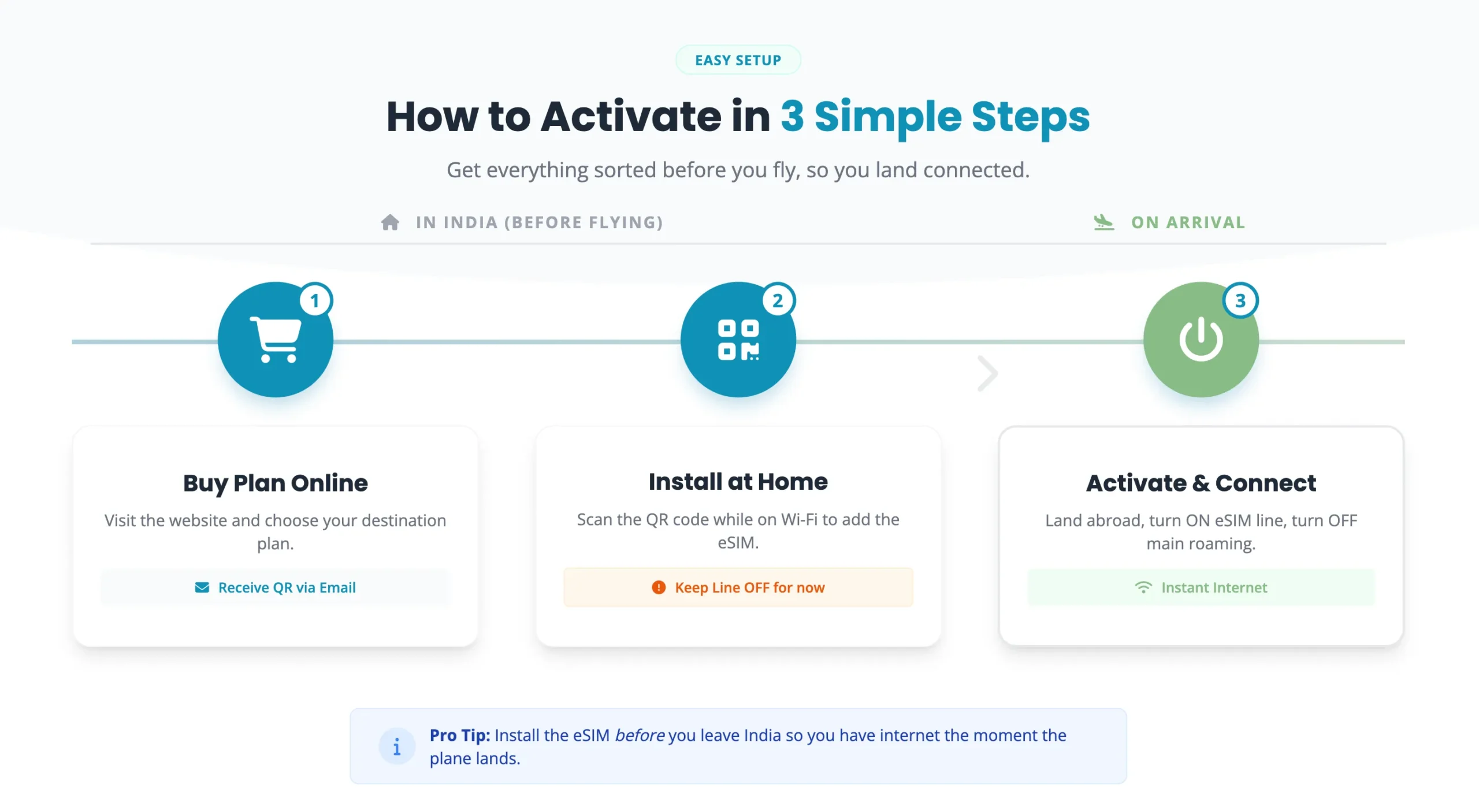
The way people use mobile networks is changing rapidly, and eSIM technology is leading this transformation. If you have recently purchased a smartphone that supports eSIM, you may be wondering how to use eSIM in India step by step. Unlike traditional SIM cards, an eSIM is embedded directly into your device, eliminating the need for a physical SIM card.
Major telecom operators in India, including Jio, Airtel, and Vi, now offer eSIM services, making it easier than ever to activate mobile plans digitally. Whether you’re switching from a physical SIM, setting up a new connection, or preparing for international travel, understanding the eSIM setup process can save time and effort.
In this detailed guide, you’ll learn what an eSIM is, its benefits, eligibility requirements, and the exact steps to activate and use eSIM in India.
What is an eSIM?
An eSIM (Embedded Subscriber Identity Module) is a digital SIM that is built into your smartphone, tablet, smartwatch, or other compatible devices. Instead of inserting a physical SIM card, users can activate their mobile number electronically through their telecom provider.
The eSIM performs the same functions as a traditional SIM card but offers greater convenience and flexibility.
Key Features of eSIM
- No physical SIM card required
- Easy switching between carriers
- Supports multiple mobile profiles
- Better security against SIM theft
- Useful for international travelers
- Faster activation process
Benefits of Using eSIM in India
Before learning how to activate eSIM, it’s important to understand why many users are switching to this technology.
1. No Need for a Physical SIM
You don’t have to visit a store to replace a damaged SIM card.
2. Dual SIM Functionality
Many smartphones allow users to run one physical SIM and one eSIM simultaneously.
3. Better Security
An eSIM cannot be physically removed from the device, reducing the risk of theft or unauthorized usage.
4. Ideal for Travelers
Users can activate international plans digitally without changing their primary number.
5. Quick Network Switching
Switching telecom operators becomes easier because there is no need to replace physical SIM cards.
eSIM Supported Mobile Operators in India
Currently, the following telecom companies provide eSIM services:
- Reliance Jio
- Bharti Airtel
- Vodafone Idea (Vi)
Some operators may have additional requirements depending on your device and account status.
Devices That Support eSIM in India
Not all smartphones support eSIM technology. Popular compatible devices include:
Apple iPhones
- iPhone XR
- iPhone XS and XS Max
- iPhone 11 Series
- iPhone 12 Series
- iPhone 13 Series
- iPhone 14 Series
- iPhone 15 Series
- iPhone 16 Series
Samsung Smartphones
- Galaxy S20 and newer
- Galaxy Z Fold Series
- Galaxy Z Flip Series
- Selected Galaxy Note models
Google Pixel Phones
- Pixel 3 and later models
Always verify compatibility on the manufacturer’s website before initiating activation.
Requirements Before Activating eSIM
Before starting the setup process, ensure that:
- Your smartphone supports eSIM.
- Your telecom operator offers eSIM service.
- Your registered mobile number is active.
- Your email address is linked to your telecom account.
- You have a stable internet connection.
How to Use eSIM in India Step by Step
Follow these simple steps to activate your eSIM successfully.
Step 1: Check Device Compatibility
Open your smartphone settings and verify whether eSIM functionality is available.
On iPhone
Go to:
Settings → Cellular → Add eSIM
On Android
Go to:
Settings → Network & Internet → SIMs → Add eSIM
If the option appears, your device supports eSIM.
Step 2: Register Your Email Address
Most telecom operators send the eSIM QR code and activation instructions to your registered email address.
If your email is not registered, update it through:
- Customer care
- Telecom mobile app
- Official service center
Step 3: Request eSIM Activation
Contact your mobile operator through SMS, customer care, mobile app, or official website.
Provide:
- Mobile number
- Device model
- Registered email address
After verification, your operator will initiate the eSIM conversion process.
Step 4: Receive the QR Code
Once your request is approved, you will receive:
- A QR code
- Activation instructions
- Confirmation message
The QR code is essential for downloading the eSIM profile onto your device.
Step 5: Scan the QR Code
For iPhone
- Open Settings.
- Tap Cellular.
- Select Add eSIM.
- Choose Use QR Code.
- Scan the QR code sent by your operator.
For Android
- Open Settings.
- Go to Network & Internet.
- Tap SIM Manager.
- Select Add eSIM.
- Scan the QR code.
The device will automatically download the eSIM profile.
Step 6: Complete Activation
After downloading the profile:
- Restart your smartphone.
- Wait for network detection.
- Confirm activation.
In most cases, activation is completed within a few minutes, although some operators may take a few hours.
Step 7: Configure Mobile Data and Calls
If you use dual SIM functionality:
- Select your preferred SIM for calls.
- Choose the SIM for mobile data.
- Configure SMS preferences.
This ensures smooth operation of both connections.
How to Convert Physical SIM to eSIM in India
Many users already have an active physical SIM and want to convert it to eSIM.
Process
- Contact your telecom operator.
- Request SIM-to-eSIM conversion.
- Complete identity verification.
- Receive activation QR code.
- Scan the code.
- Activate the eSIM profile.
After successful activation, the physical SIM will automatically deactivate.
Common eSIM Activation Problems and Solutions
QR Code Not Working
- Ensure proper lighting.
- Verify that the QR code is valid.
- Request a new QR code if expired.
eSIM Not Detected
- Restart the device.
- Update device software.
- Contact customer support.
Activation Delayed
- Wait a few hours.
- Verify email registration.
- Confirm telecom account details.
Network Not Appearing
- Enable cellular services.
- Reset network settings.
- Reinstall the eSIM profile if necessary.
Is eSIM Safe to Use?
Yes. eSIM technology is considered highly secure because:
- It cannot be physically stolen.
- Carrier profiles are encrypted.
- Device-level authentication improves protection.
- Unauthorized SIM swapping becomes more difficult.
For most users, eSIM provides greater security than traditional SIM cards.
Tips for Using eSIM Efficiently
- Keep a backup QR code if permitted.
- Update device software regularly.
- Store operator activation emails safely.
- Use dual SIM functionality wisely.
- Remove unused eSIM profiles.
These practices help maintain optimal performance and security.
Conclusion
Learning how to use eSIM in India step by step is relatively simple once you understand the activation process. With support from major telecom providers like Jio, Airtel, and Vi, users can easily switch to a digital SIM experience. eSIM technology offers convenience, security, flexibility, and seamless connectivity without requiring a physical SIM card.
Whether you are upgrading to a new smartphone, traveling internationally, or simply looking for a more modern mobile experience, eSIM is an excellent option. By following the steps outlined in this guide, you can activate and start using eSIM in India quickly and efficiently.
Top Google Searches Related to How to Use eSIM in India Step by Step
- How to activate eSIM in India
- How to convert physical SIM to eSIM
- Airtel eSIM activation process
- Jio eSIM setup guide
- Vi eSIM activation steps
- Which phones support eSIM in India
- How to install eSIM on iPhone
- How to activate eSIM on Android
- eSIM vs physical SIM comparison
- Is eSIM available in India
- How to use dual SIM with eSIM
- Best eSIM-supported smartphones in India
- Can eSIM be transferred to another phone
- eSIM activation QR code not working
- International travel using eSIM
Frequently Asked Questions (FAQ)
Can I use eSIM and physical SIM together?
Yes. Most modern smartphones support dual SIM functionality, allowing one physical SIM and one eSIM to operate simultaneously.
Which Indian telecom operators support eSIM?
Reliance Jio, Airtel, and Vodafone Idea (Vi) currently provide eSIM services for eligible users.
Is eSIM free in India?
Most operators do not charge separately for eSIM activation. However, policies may vary depending on the carrier and plan.
Can I transfer my eSIM to a new phone?
Yes. You can transfer your eSIM to another compatible device by requesting a new activation QR code from your telecom provider.
Does eSIM work without internet?
Once activated, eSIM works like a regular SIM card. However, an internet connection is generally required during the activation process.
Is eSIM better than a physical SIM?
For many users, yes. eSIM offers enhanced security, convenience, and flexibility while eliminating the need for physical SIM cards.
What happens if I reset my phone?
Depending on the device settings, the eSIM profile may remain or be removed. Always check before performing a factory reset.
Can I use international eSIM plans in India?
Yes. Many global eSIM providers offer international plans that can be activated on compatible devices while visiting India.
