
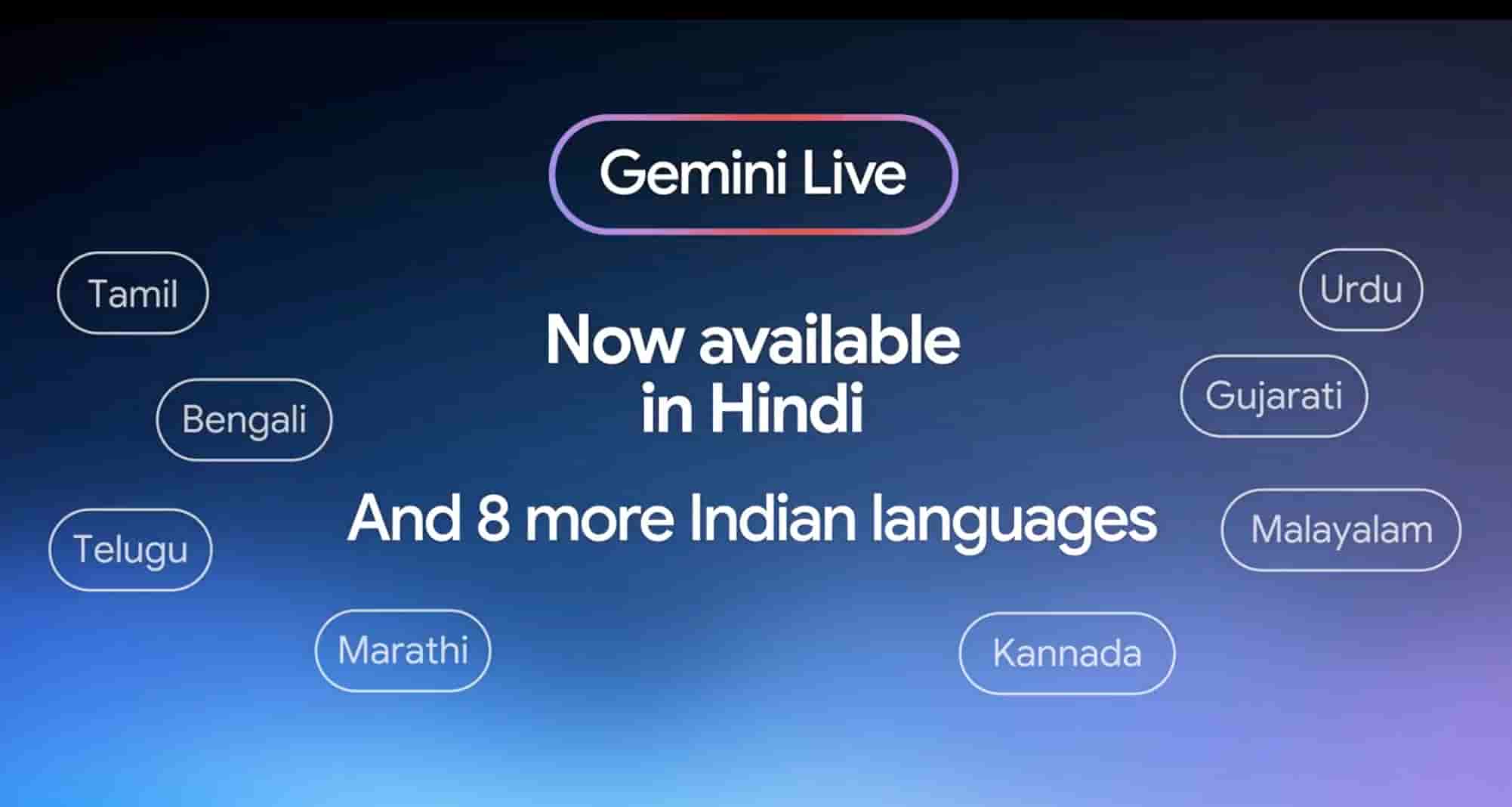
Google has been steadily improving its AI assistant, and one of the biggest updates for users in India is Gemini Live Indian languages support. With millions of people preferring to communicate in regional languages rather than English, this feature makes AI conversations more natural, accessible, and useful for everyday tasks.
Whether you want to ask questions in Hindi, Bengali, Tamil, Telugu, Marathi, Gujarati, Punjabi, Malayalam, Kannada, or other Indian languages, Gemini Live is designed to understand and respond more naturally than ever before.
In this guide, we’ll explore how Gemini Live Indian languages support works, which languages are available, its features, benefits, supported devices, limitations, and what users in India can expect in 2026.
What Is Gemini Live?
Gemini Live is Google’s advanced conversational AI experience built into Gemini. Unlike traditional text-based AI assistants, Gemini Live allows users to have real-time voice conversations that feel much more like speaking with another person.
Instead of typing every question, users can simply speak naturally, interrupt the conversation, ask follow-up questions, and receive spoken responses.
This makes Gemini Live ideal for:
- Daily conversations
- Learning new topics
- Homework assistance
- Travel guidance
- Cooking help
- Business discussions
- Language translation
- Productivity tasks
What Is Gemini Live Indian Languages Support?
Gemini Live Indian languages support refers to Google’s ability to let users interact with Gemini Live using multiple Indian languages instead of relying only on English.
India has hundreds of spoken languages, and regional language support significantly improves accessibility.
Users can now communicate naturally in many popular Indian languages without constantly switching to English.
The AI can understand spoken input, process requests, and generate responses in supported regional languages.
Supported Indian Languages
Google continues expanding support, but major Indian languages include:
- Hindi
- Bengali
- Tamil
- Telugu
- Marathi
- Gujarati
- Kannada
- Malayalam
- Punjabi
- Urdu
Support availability may vary depending on:
- Device
- Android version
- Gemini app version
- Google account region
Google regularly adds more language improvements through updates.
Key Features of Gemini Live Indian Languages Support
1. Natural Voice Conversations
Users can simply speak naturally without worrying about perfect pronunciation.
Gemini understands conversational language rather than requiring robotic commands.
2. Real-Time Responses
Instead of waiting for typed answers, Gemini responds instantly with spoken replies.
This makes interactions much faster.
3. Follow-Up Questions
One of Gemini Live’s strongest features is conversation memory.
For example:
“Tell me about Delhi.”
Then ask:
“What’s the weather there?”
Gemini understands “there” refers to Delhi.
4. Code Switching Support
Many Indian users naturally mix English with Hindi or other languages.
For example:
“Mujhe best budget laptop suggest karo under 50,000.”
Gemini understands mixed-language conversations surprisingly well.
5. Hands-Free Experience
Users can:
- Cook while asking recipes
- Drive while requesting directions
- Study while asking questions
- Exercise while learning
Everything works using voice.
Benefits of Gemini Live Indian Languages Support
There are several advantages for Indian users.
Better Accessibility
Many people feel more comfortable speaking in their native language.
This removes the language barrier.
Improved Learning
Students can ask difficult questions in regional languages and receive easy-to-understand explanations.
Business Productivity
Small business owners can quickly:
- Draft messages
- Translate content
- Brainstorm ideas
- Create marketing plans
without switching languages.
Easier Technology Adoption
Older family members who are uncomfortable typing English can now interact with AI naturally.
How to Use Gemini Live in Indian Languages
Using Gemini Live is simple.
Step 1
Install the latest Gemini app.
Step 2
Sign in with your Google account.
Step 3
Open Gemini Live.
Step 4
Choose your preferred language if available.
Step 5
Start speaking naturally.
Gemini automatically processes your voice and replies accordingly.
Best Use Cases
Gemini Live becomes much more useful when speaking your preferred language.
Popular use cases include:
Homework Help
Students can solve:
- Mathematics
- Science
- History
- Geography
using regional languages.
Travel Planning
Ask:
- Hotel recommendations
- Route suggestions
- Local attractions
- Weather updates
without typing.
Cooking Assistance
Request recipes in Hindi, Tamil, Telugu, or other supported languages.
Gemini explains ingredients and cooking methods step by step.
Interview Preparation
Practice interview questions naturally.
Gemini can simulate HR interviews while giving helpful feedback.
Language Learning
Users can improve English while speaking Hindi or another native language.
Gemini explains vocabulary in an easy way.
Device Compatibility
Gemini Live generally works on:
- Android smartphones
- Select tablets
- Supported Pixel devices
- Premium Gemini-supported devices
Availability depends on Google rollout schedules and regional support.
Limitations
Although impressive, there are still a few limitations.
Accent Recognition
Very strong regional accents may occasionally reduce accuracy.
Internet Requirement
Gemini Live requires a stable internet connection.
Offline conversations are generally unavailable.
Language Availability
Not every Indian language has identical feature support.
Some newer languages may still be improving.
Regional Rollouts
Google often releases updates gradually.
Some users receive new features earlier than others.
Tips for Better Results
To get the best experience:
- Speak clearly.
- Use complete sentences.
- Keep background noise low.
- Update the Gemini app regularly.
- Use a reliable internet connection.
Why Gemini Live Matters for India
India is one of Google’s largest markets.
Supporting regional languages allows millions of users to access AI without learning English.
This helps:
- Students
- Teachers
- Professionals
- Small business owners
- Senior citizens
- Rural communities
As AI becomes more integrated into everyday life, multilingual support will play an increasingly important role.
Future of Gemini Live Indian Languages Support
Google is expected to continue expanding language capabilities.
Future improvements may include:
- Better regional dialect recognition
- Faster voice responses
- Improved emotional understanding
- Offline AI capabilities
- More natural conversations
- Additional Indian language support
As Gemini evolves, Indian users can expect a smoother and more personalized conversational AI experience.
Conclusion
Gemini Live Indian languages support is a significant step toward making artificial intelligence more inclusive and accessible across India. By enabling natural voice conversations in multiple regional languages, Google is helping students, professionals, businesses, and everyday users interact with AI more comfortably.
While there are still some limitations regarding language availability and regional rollouts, the feature already offers a powerful hands-free experience for learning, productivity, travel, and daily assistance. As Google continues expanding support and improving accuracy, Gemini Live is set to become an essential AI companion for millions of Indian users in 2026 and beyond.
Top Google Searches Related to Gemini Live Indian Languages Support
- Gemini Live Indian languages support
- Gemini Live supported languages
- How to use Gemini Live in Hindi
- Gemini Live regional language support
- Google Gemini Live India
- Gemini AI voice assistant languages
- Gemini Live Telugu support
- Gemini Live Tamil language
- Gemini Live Malayalam support
- Gemini Live Bengali language
- Gemini Live Marathi support
- Gemini Live Punjabi support
- Gemini Live Kannada support
- Gemini AI multilingual features
- Gemini Live latest update 2026
Frequently Asked Questions (FAQ)
1. Which Indian languages does Gemini Live support?
Gemini Live supports several major Indian languages, including Hindi, Bengali, Tamil, Telugu, Marathi, Gujarati, Kannada, Malayalam, Punjabi, and Urdu. The exact availability can vary by device, app version, and region.
2. Can I switch between English and an Indian language during a conversation?
Yes. Gemini Live is designed to handle multilingual conversations, including common code-switching where users naturally mix English with languages like Hindi or Tamil.
3. Is Gemini Live free to use?
Basic Gemini features are available for many users at no cost, while some advanced capabilities may require a premium Gemini subscription or may be limited based on Google’s current offerings and regional availability.
4. Do I need an internet connection to use Gemini Live?
Yes. Gemini Live primarily relies on cloud-based AI processing, so a stable internet connection is typically required for real-time voice conversations.
5. Can Gemini Live help students in regional languages?
Absolutely. Students can ask questions about subjects such as mathematics, science, history, and languages in supported Indian languages, making learning more accessible and interactive.
6. Does Gemini Live work on all Android phones?
Gemini Live is available on compatible Android devices that meet Google’s requirements. Some features may depend on your Android version, device hardware, and the latest Gemini app updates.
