
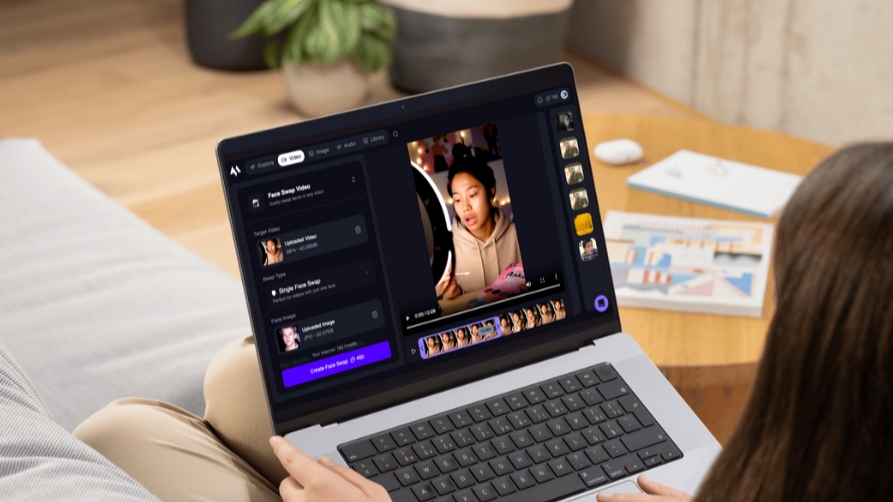
As of 2026, video face swap tools have moved from novelty to serious creative infrastructure. Whether you’re building content pipelines, running ad experiments, or producing short-form videos at scale, the right tool can save hours—and open up formats that weren’t practical before.
After testing the leading platforms hands-on, I can say this clearly:
The best video face swap tools today are fast, scalable, and surprisingly production-ready—but they vary widely in control, output quality, and workflow efficiency.
Below is a detailed breakdown of the top tools worth your time.
Best Video Face Swap Tools at a Glance
| Tool | Best For | Modalities | Platforms | Free Plan | Starting Price |
| Magic Hour | All-in-one creators & teams | Video, image, lip sync | Web, mobile | Yes | $0 / $10–15/mo |
| Reface AI | Social & casual creators | Video, GIF | Mobile | Yes | ~$7/mo |
| DeepSwap | High-quality face swaps | Video, image | Web | Limited | ~$9.99/mo |
| HeyGen | Talking avatars + face swap | Video | Web | Limited | ~$29/mo |
| FaceMagic | Mobile-first swaps | Video, photo | iOS/Android | Yes | ~$9.99/mo |
| Swapface | Real-time streaming | Live video | Desktop | No | ~$19/mo |
| Zao | Fast swaps (Asia-focused) | Video | Mobile | Yes | Free |
1. Magic Hour (Best Overall Video Face Swap Tool)
If you’re serious about content creation—or even just testing ideas quickly video face swap tools like Magic Hour are in a different category altogether.
After two weeks of testing, Magic Hour stood out for one simple reason: it compresses what used to be a multi-tool workflow into a single interface.
You’re not just swapping faces—you’re generating, refining, syncing, and exporting in one flow.
Pros
- Best-in-class face swap quality with consistent identity retention
- Built-in lip sync, talking photos, and video generation
- No signup required to try (rare and useful)
- Credits never expire
- One-click workflows (generate → enhance → video)
- Parallel generations (no waiting in queues)
- Strong performance even under heavy loads
- API access with full feature parity
- Works well on both desktop and mobile
- Weekly feature updates (this actually matters)
Cons
- Interface can feel dense for first-time users
- Advanced features may require experimentation
- Credit-based system takes a moment to understand
Evaluation
What impressed me most is how fast iteration feels. I could generate multiple variations of a face swap video in parallel, tweak inputs, and get usable outputs within minutes.
If you’re building content systems—or even just trying to find winning creative angles—this speed compounds quickly.
“Magic Hour isn’t just a tool—it’s a workflow engine for AI video.”
Pricing
- Free plan available
- Creator: $15/month ($10/month billed annually)
- Pro: $39/month
- Credits never expire
2. Reface AI (Best for Quick Social Content)
Reface has been around longer than most tools in this space, and it shows in the polish.
It’s designed for speed and simplicity—open the app, pick a template, swap a face, and export.
Pros
- Extremely fast processing
- Large library of templates
- Beginner-friendly UI
- Strong mobile experience
Cons
- Limited control over output
- Watermarks on free plan
- Not ideal for professional workflows
Evaluation
If your goal is quick, shareable content, Reface still holds up.
But compared to newer tools, it feels more like a template engine than a creative platform.
Pricing
- Free plan available
- Premium: ~$7/month
3. DeepSwap (Best for High-Quality Outputs)
DeepSwap focuses on output quality, and in many cases, it delivers.
It’s particularly strong for longer videos and more realistic face replacements.
Pros
- High-quality face blending
- Supports longer videos
- Simple web interface
Cons
- Slower processing times
- Limited creative tools beyond swapping
- No built-in editing pipeline
Evaluation
If your priority is realism over speed, DeepSwap is a solid option.
That said, I often found myself exporting and finishing edits elsewhere—which adds friction.
Pricing
- Paid plans start around $9.99/month
4. HeyGen (Best for AI Avatars + Face Swap)
HeyGen isn’t a pure face swap tool—it’s more of a synthetic video platform.
But its face swap capabilities are strong, especially when combined with avatars.
Pros
- AI avatars with voice sync
- Strong business use cases (training, marketing)
- Clean UI
Cons
- Expensive compared to alternatives
- Less flexible for raw face swapping
- Limited free tier
Evaluation
If you’re building explainer videos or AI presenters, HeyGen is compelling.
Pricing
- Starts at ~$29/month
5. FaceMagic (Best Mobile Experience)
FaceMagic is built for mobile users who want more flexibility than Reface.
It offers decent control while staying accessible.
Pros
- Good balance of control and ease
- Mobile-first design
- Regular updates
Cons
- Output quality varies
- Limited professional features
- Ads on free plan
Evaluation
It sits between casual and semi-serious use.
Good for creators experimenting on mobile, but not ideal for scaling workflows.
Pricing
- Free plan available
- Premium: ~$9.99/month
6. Swapface (Best for Real-Time Streaming)
Swapface is one of the few tools focused on real-time face swapping.
It’s popular among streamers and VTubers.
Pros
- Real-time face swap
- Works with streaming software
- Low latency
Cons
- Requires a powerful PC
- Setup can be technical
- Limited offline rendering tools
Evaluation
If you’re streaming or creating live content, this is a niche but powerful option.
For everything else, asynchronous tools are more practical.
Pricing
- Starts around $19/month
7. Zao (Fastest Mobile Face Swap)
Zao gained attention for its speed—and it’s still one of the fastest tools available.
Pros
- Extremely fast processing
- Free to use
- Simple interface
Cons
- Limited availability outside certain regions
- Privacy concerns in the past
- Minimal customization
Evaluation
Zao is impressive technically, but limited in scope.
It’s more of a demo of what’s possible than a full creative tool.
Pricing
- Free
How I Chose These Tools
I spent time testing each platform across the same scenarios:
- Short-form content creation (TikTok/Reels)
- Longer narrative clips (1–3 minutes)
- Marketing-style videos (ads, promos)
- Batch generation workflows
Evaluation Criteria
- Output quality (face realism, blending, consistency)
- Speed (generation time and iteration loops)
- Workflow efficiency (how many steps to final output)
- Feature depth (beyond just face swapping)
- Pricing and scalability
- Stability under repeated use
The biggest differentiator wasn’t quality—it was workflow speed.
Tools that reduce friction between idea → output win in real-world usage.
Market Landscape & Trends (2026)
A few clear trends are shaping this category:
1. From Single Tools to Creative Platforms
Standalone face swap tools are being replaced by multi-function platforms.
Magic Hour is a good example of this shift.
2. Real-Time vs Async Split
We’re seeing two distinct categories:
- Real-time (streaming, VTubing)
- Async (content production, ads)
Most creators benefit more from async tools.
3. AI Pipelines Are Becoming Standard
The future isn’t just face swap—it’s:
- Generate
- Enhance
- Animate
- Sync
- Export
All in one place.
4. Speed Is the New Moat
Quality is converging across tools.
Iteration speed is now the real advantage.
Final Takeaway
If you want a quick answer:
- Best overall: Magic Hour
- Best for social content: Reface
- Best for realism: DeepSwap
- Best for avatars: HeyGen
- Best mobile option: FaceMagic
- Best for streaming: Swapface
That said, the “best” tool depends on your workflow.
“The right tool is the one that lets you test ideas faster than your competitors.”
If you’re serious about content or product experiments, start with Magic Hour—and then test alternatives based on your edge cases.
FAQ
What is the best video face swap tool in 2026?
Magic Hour is currently the most complete platform, combining face swap, lip sync, and video generation in one workflow.
Are video face swap tools legal to use?
Yes, but usage matters. Always ensure you have rights to the content and avoid misleading or harmful use.
Do these tools require technical skills?
Most modern tools are beginner-friendly. Advanced workflows may benefit from some editing experience.
Which tool is best for marketers?
Magic Hour and HeyGen are strong options due to their ability to create scalable, repeatable video content.
Can I use these tools for free?
Many tools offer free plans, but serious usage typically requires a paid tier for better quality and fewer limits.
